
Help/Keep access to your money when you switch phones
Keep access to your money when you switch phones
When you confirm payments with a passkey, PureFi asks for it again on a new phone. If you are staying on iPhone or staying on Android, your passkey is already there once the new phone is signed in to the same Apple or Google account. If you are moving between iPhone and Android, your passkey stays behind, so add an authenticator app on your old phone before you switch.
-
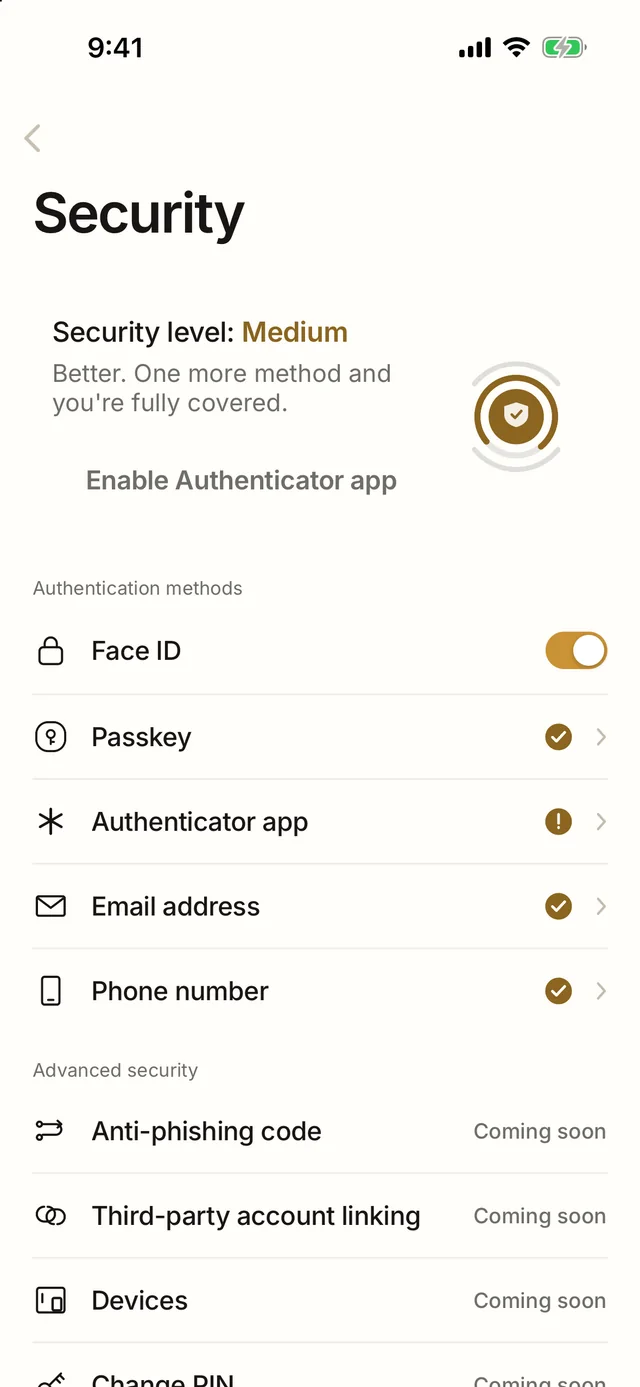
On your old phone, open Profile by tapping your initials at the top of Home, then tap Security.
-
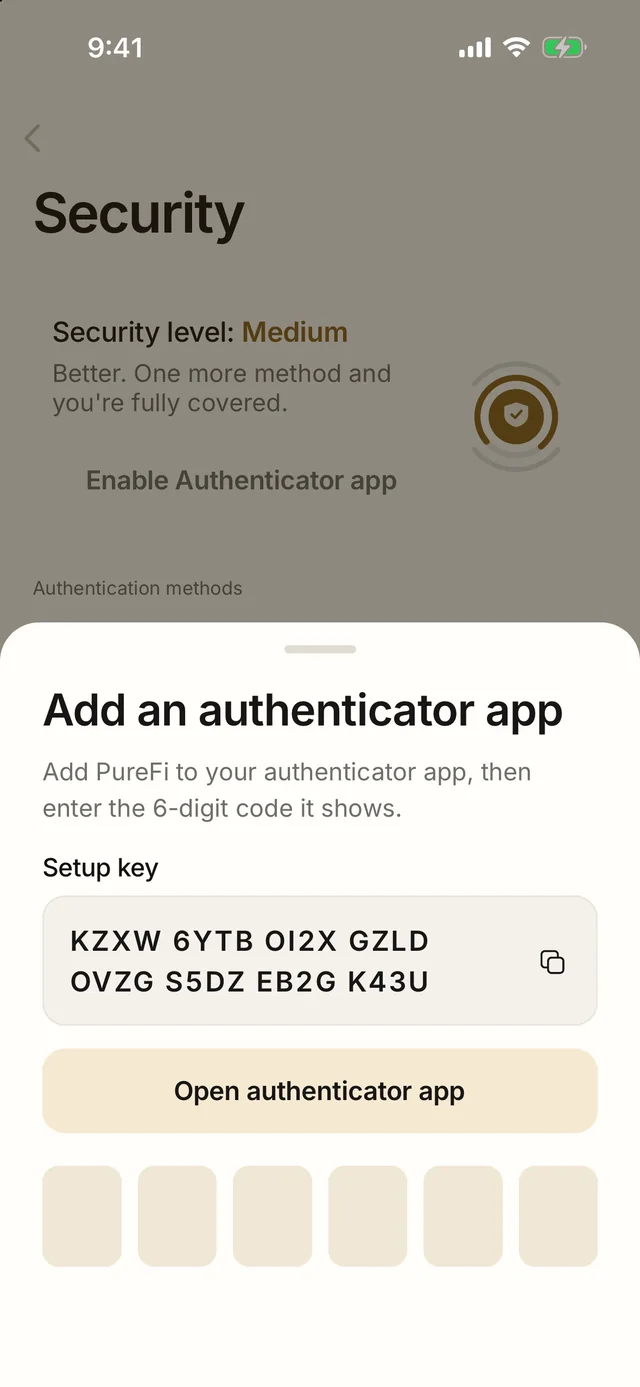
Tap Authenticator app and confirm it’s you with your passkey. Tap Open authenticator app, or tap the Setup key to copy it into your authenticator app, then enter the 6-digit code it shows. Pick an authenticator app that backs up your codes to your account, so they come with you to the new phone.
-
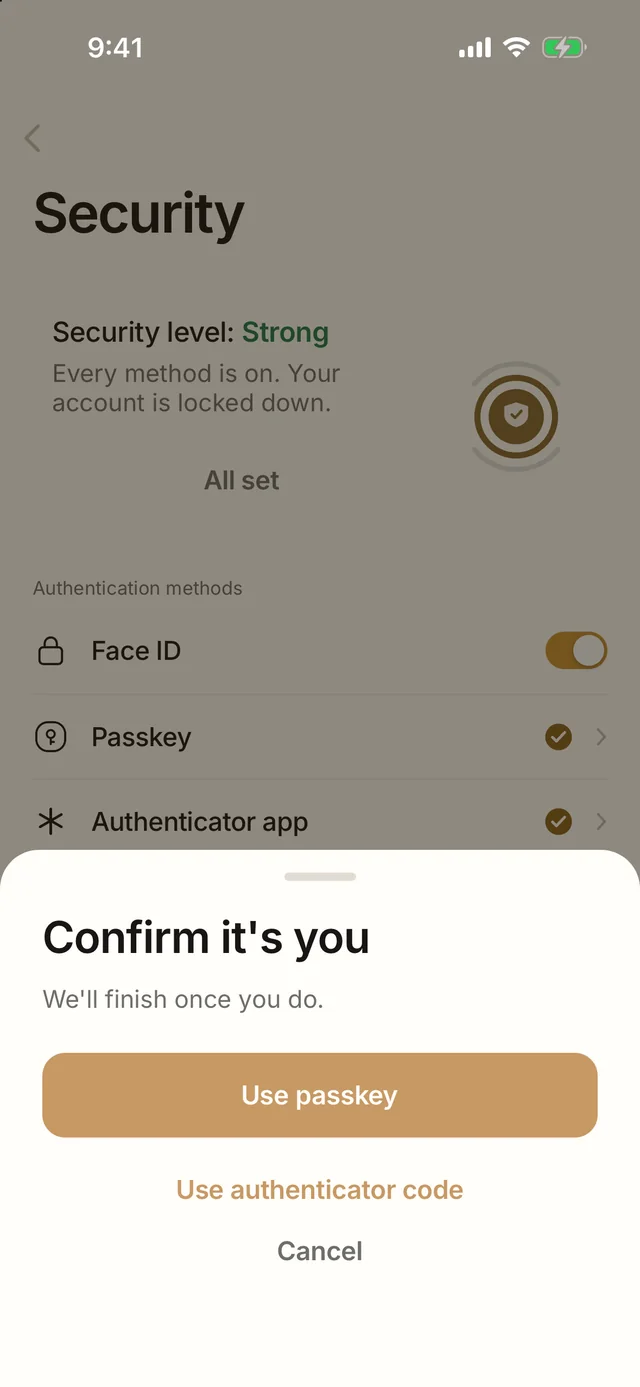
On your new phone, install PureFi and sign in the way you always do. When Confirm it’s you appears, tap Use passkey, or tap Use authenticator code and enter the code from your authenticator app.
Your balance and payments work on the new phone as before. Keep your old phone until the new one has passed this check: if you can no longer use your passkey or an authenticator code, nobody, including PureFi, can skip the check for you, because that is what keeps anyone else out of your money.

Still need a hand?
Our support team is available 24/7 by live chat or email, in English and 6 other languages.